
How Can We Help?
How to add a new recipient/beneficiary
New recipients can be added in advance to your account or when you need to set up a new payment.
To add a new recipient in advance, click on the Recipients tab

The new window will appear. You can either add a new recipient by clicking the green + Add new tab, or complete a CSV file for multiple recipients and upload it.
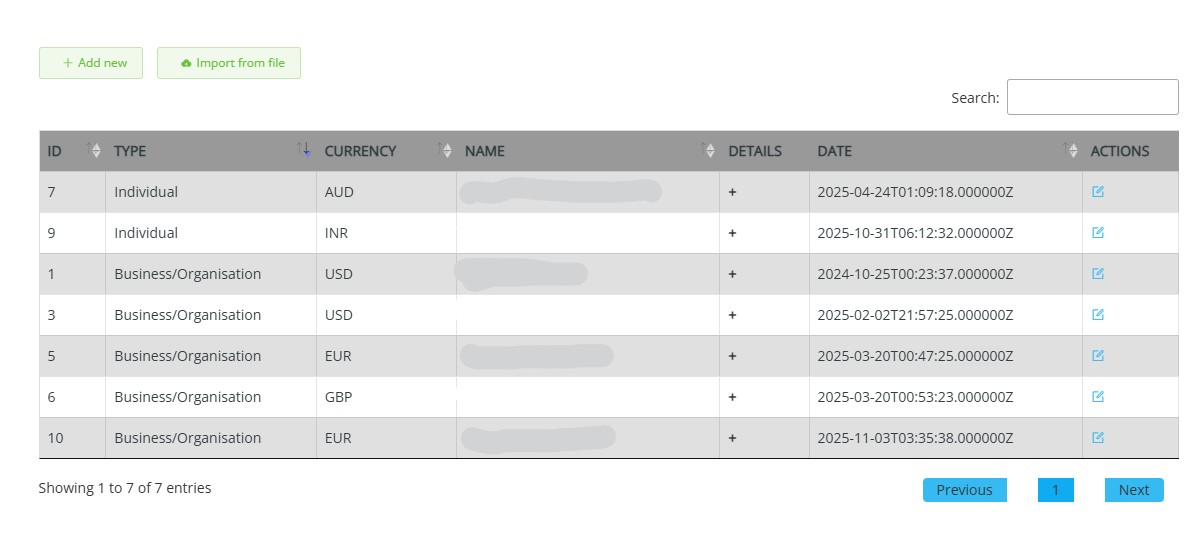
When you choose + Add new, you must enter the recipient’s details in the following form.
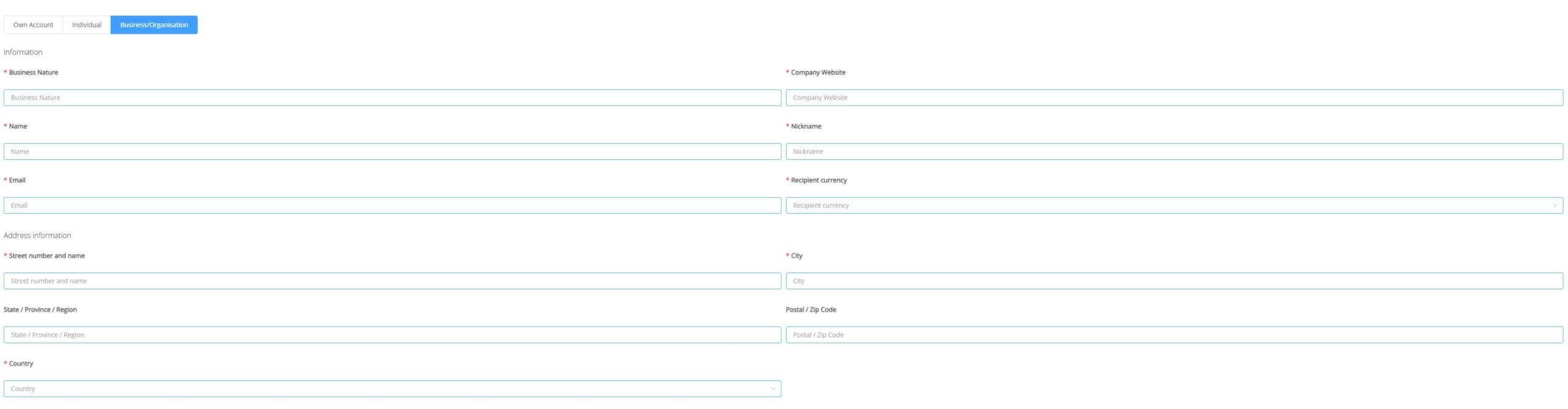
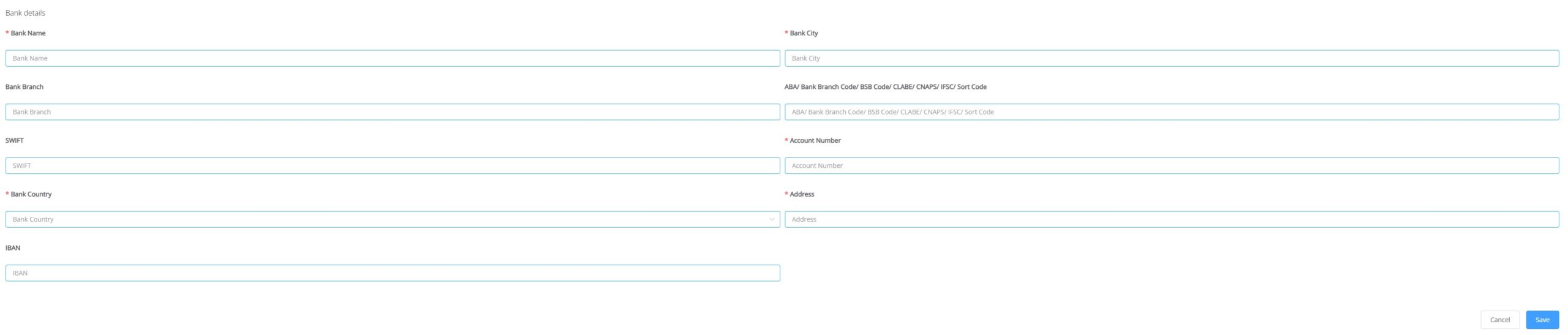
- Choose the Recipient type from Own account (your account), Individual (a person you wish to pay), or Business/Organisation (business or any organisation you wish to pay).
- Please note that all the fields marked with a red asterisk are compulsory to add a recipient.
- All other information is also relevant for compliance purposes. Please complete all fields if information is available. Bank Branch Code – If your recipient has provided additional information, ABA routing number (US), CNAPS (China), please insert it here. This will assist us in processing the payment efficiently & securely via the local payment network.
- If your recipient has provided an IBAN, please enter the IBAN in BOTH the IBAN & Account Number fields.
- Please note that if Compliance requires further information, we will reach out where required.
- If you have many recipients, you can upload them using the import from file option.
Then, the new pop-up screen will appear.
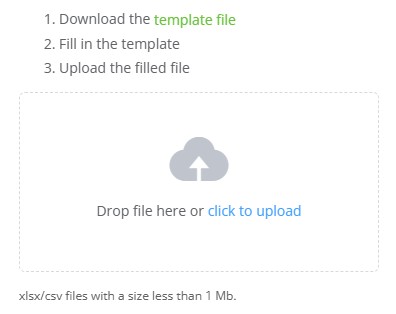
You can download a template file and populate it with all your recipients’ details. Once the details are inserted, save the file and upload it.